 TweetReply
How to Choose an AI Task Automation Platform with Webhook Support
Picking an AI task tool that can't fire a webhook means your team still copies updates by hand. Webhooks are how task changes reach your CRM, your billing system, and your dashboards without anyone retyping a thing. That gap decides whether automation actually saves hours or just moves them around.
This article walks through what to check before you commit: webhook support, natural language task creation, field team tools like GPS tracking and face-verified attendance, pricing, and beta status. By the end you'll know whether Tasks.Bot, which runs inside WhatsApp, fits your workflow or whether another platform does.
What Is Tasks.Bot? AI Task Automation Built Into WhatsApp
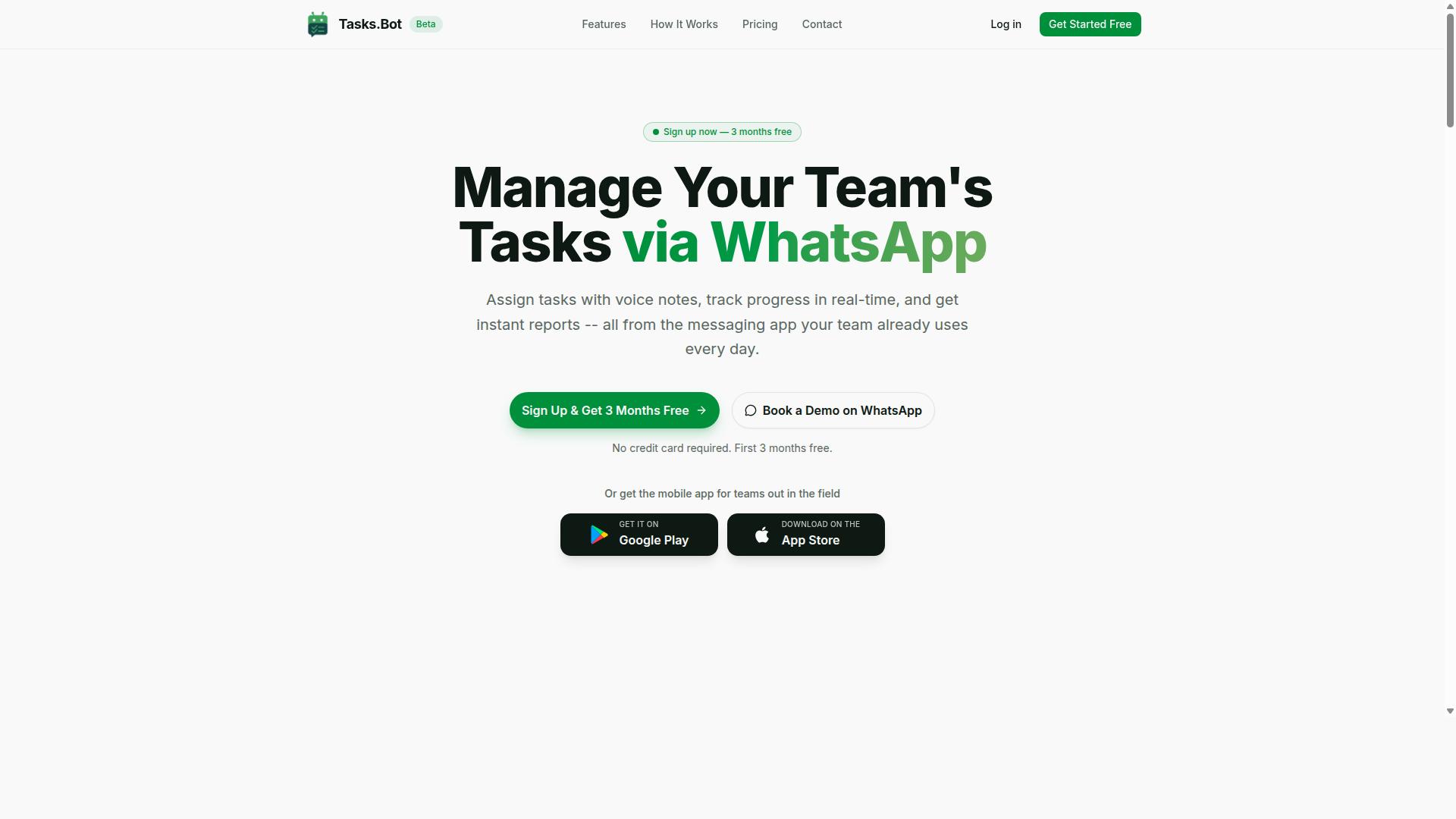
Tasks.Bot is a task management platform that operates entirely within WhatsApp, allowing teams to assign tasks, track progress, and receive reports without leaving the messaging app. It is a SaaS solution built for businesses that want task automation to live where their people already communicate.
The idea behind this approach is simple. Instead of asking staff to learn another dashboard, Tasks.Bot turns a familiar messaging thread into a workflow automation channel. Task assignment, status updates, and reporting all happen in one place that most users already have open on their phone.
For teams evaluating an AI task automation platform, this matters because adoption is often the hardest part of any rollout. When the tool meets people inside an app they use daily, the barrier to participation drops sharply.
Beyond WhatsApp, Tasks.Bot also offers a mobile app for field teams. That gives remote and on-site workers a dedicated option while keeping the core experience centered on messaging.
One practical advantage stands out: team members do not need new accounts or app installations to take part. They join through WhatsApp itself, which keeps onboarding light and avoids the usual friction of provisioning logins for every person on a crew.
The platform is currently in beta and offers a free trial period, so teams can evaluate how it fits their workflow before committing. For anyone weighing tools with capabilities like webhook support and API integration, Tasks.Bot is worth a close look as a messaging-first option.
Does Tasks.Bot Support Webhooks and Integrations?
Tasks.Bot offers webhook support and integrations to connect with your existing tools, enabling event-driven automation and seamless data flow. This means the platform does not operate as an isolated task manager. Instead, it acts as a hub that pushes and pulls information across the apps your team already uses.
Webhooks are the backbone of this connectivity. An HTTP callback fires whenever a defined event takes place, so downstream systems react the moment something changes rather than waiting for a manual sync. For teams evaluating an AI task automation platform, this real-time behavior is often the deciding factor.
Tasks.Bot pairs this connectivity with a broad task management feature set delivered through WhatsApp. Voice note task creation, automatic task assignment, smart deadline reminders, approvals and automations, instant reports, tasks on a map, a live day tracker, face-verified attendance, and shifts, leave, and hours management all run through native WhatsApp integration.
Because the platform uses AI to understand user intent and create tasks from messages, triggers can originate from ordinary chat activity. The result is no-code automation that connects third-party apps without requiring a developer for every change. The subsections below break down how webhooks, automations, and approvals work together, and how Tasks.Bot plugs into your existing workflows.
Webhook Support, Automations, and Approvals
Tasks.Bot supports webhooks that deliver JSON payloads to your specified endpoint when events occur, such as task creation, completion, or approval requests. You register a webhook endpoint and choose which events to subscribe to. This is the core of event subscription: you decide what matters, and the platform notifies you when it happens.
Authentication keeps those callbacks trustworthy. Common authentication methods include an API key and an HMAC signature, which lets your receiving server verify that a payload genuinely came from Tasks.Bot and was not altered in transit. Payload delivery follows a predictable JSON structure so your systems can parse it without custom guesswork.
Automations turn those events into action. Tasks.Bot includes approvals and automations as part of its feature set, which supports building multi-step automation with conditional logic. A task moving to a new status can trigger the next step, and approvals can be routed to the right person before work continues.
Reliability matters as much as the trigger itself. Rate limiting protects endpoints from being overwhelmed, and a retry mechanism reattempts delivery when a receiver is temporarily unavailable. Together these reduce missed events and error handling headaches in production.
How Tasks.Bot Connects to Your Existing Workflows
Tasks.Bot connects to your existing workflows through its REST API and webhooks, allowing you to synchronize data with third-party apps like CRM, ERP, and project management tools. The REST API handles request-and-response operations, while webhooks handle push-style notifications. Used together, they cover both directions of data flow.
Authentication is handled through an API key or OAuth, depending on how your systems are set up. Requests and responses use JSON payload formats, which keeps parsing straightforward for most modern applications. This makes Tasks.Bot a practical low-code platform for business process automation rather than a tool that demands deep engineering effort.
Typical integrations connect Tasks.Bot to communication, spreadsheet, and automation services such as Slack, Google Sheets, and Zapier. A task created in WhatsApp can flow into a project board, a row can appear in a tracking sheet, or a channel can receive a notification. Each connection relies on the same webhook and API foundation.
Data synchronization and event-driven triggers are configured by mapping the events you care about to the actions you want. Because Tasks.Bot already runs on native WhatsApp integration with Android and iOS apps, including push notifications, voice capture, and a home screen widget, the entry point for most teams is already familiar. Setup focuses on connecting destinations, not retraining staff.
Key Features to Evaluate in an AI Task Automation Platform
When evaluating an AI task automation platform, focus on features that enhance efficiency, such as natural language processing, voice input, and field team management tools. These capabilities decide whether a team actually adopts the system or abandons it after a week.
Tasks.Bot approaches this differently from most tools on the market. Instead of asking teams to learn a new dashboard, it runs entirely inside WhatsApp, so team members do not need to install anything or create new accounts. That single design choice removes the biggest barrier to workflow automation adoption: the learning curve.
Three feature areas matter most when comparing platforms. AI-powered task creation lets people describe work in plain language rather than filling out forms. Field team tools handle the realities of staff who are not sitting at a desk. Reporting closes the loop by turning completed work into decisions about payroll, performance, and scheduling.
Each of these areas deserves a closer look before you commit to any platform. The sections below break down what to evaluate and how Tasks.Bot handles each one.
AI Task Creation via Natural Language and Voice Notes
Tasks.Bot uses AI to understand natural language and voice notes, allowing users to create tasks simply by speaking or typing in plain language. There is no template to fill in and no field to select from a dropdown. The AI interprets user intent and creates the task from the message itself.
Consider how this works in practice. A manager might type or say something like "Assign John to fix the AC tomorrow at 2 PM." The system reads that sentence and pulls out the key details: the assignee, the job, and the deadline. The task is then created with those elements attached, without the manager opening a separate app or form.
This matters most for field teams who are often on the move, wearing gloves, or working in conditions where typing on a phone is impractical. A quick voice note becomes a fully formed task with an owner and a due date. The platform also supports automatic task assignment and smart deadline reminders, so nothing depends on someone remembering to follow up manually.
When you evaluate other platforms, test this capability directly. Ask whether the system extracts assignees and deadlines from a single sentence, or whether it only records a note for a human to sort out later. The difference between those two behaviors is the difference between intelligent automation and a glorified to-do list.
Field Team Tools: GPS Tracking, Face-Verified Attendance, and Reports
Tasks.Bot offers GPS tracking, face-verified attendance, and instant reports to help manage field teams effectively. These tools address a problem that desk-based software ignores: how do you confirm that work happened where and when it was supposed to?
Live GPS tracking shows where field staff are, and tasks can be viewed on a map. Face-verified attendance confirms that the person checking in is actually the person assigned to the job, which reduces buddy punching and attendance disputes. Together, these features give managers a factual record rather than a verbal one.
Reporting ties it together. The platform generates instant reports covering shifts, leave, and hours, which feeds directly into payroll and performance reviews. A live day tracker shows progress as the day unfolds, so managers can spot delays before they become missed deadlines.
All of this runs through WhatsApp and the Tasks.Bot mobile app. The Android and iOS apps include push notifications, voice capture, and a home screen widget, so field staff get reminders without opening a browser. Because the core experience lives in WhatsApp, adoption tends to be fast: there is nothing new to install and no account to create for basic participation.
For teams weighing business process automation, these field tools are often the deciding factor. A platform that handles office workflows but ignores attendance, location, and shift data will leave you running two systems. Tasks.Bot keeps both sides in one place, with enterprise-grade encryption protecting the data along the way.
Why Tasks.Bot Stands Out From Other Platforms
Tasks.Bot differentiates itself by operating entirely within WhatsApp, eliminating the need for team members to install new apps or create accounts. That single design decision changes how quickly a team can adopt an AI task automation platform, because there is no onboarding hurdle, no forgotten password, and no app store download standing between a worker and their first assigned task.
Most workflow automation tools assume users will log into a dashboard or install a companion mobile app. Tasks.Bot takes the opposite approach. The messaging app your team already uses every day becomes the interface, which means zero installation friction and near-instant adoption across field staff, remote workers, and office teams alike.
For readers comparing platforms, the practical advantages fall into a few clear categories:
- WhatsApp-native operation: the entire experience lives inside a messaging app your team already has open.
- AI-powered task creation: natural language and voice notes are understood, so assigning work does not require filling out forms.
- Face-verified attendance: a stronger identity check than a simple tap or checkbox.
- Live GPS tracking: useful for field staff who move between locations during the day.
- Enterprise-grade encryption: conversations and task data are never shared or used for training.
- 3-month free trial: no credit card required to evaluate the platform.
The contrast with app-first platforms is worth noting. A tool that requires a separate download for every employee adds setup time, support tickets, and resistance from staff who are not comfortable with new software. Tasks.Bot removes that layer entirely, which matters most for teams with mixed technical confidence.
Voice note support is another meaningful differentiator for hands-on roles. A supervisor walking a site can speak a task instead of typing it, and the AI interprets the request rather than requiring a rigid command format. That lowers the barrier for no-code automation in environments where nobody has time to learn a builder interface.
Face-verified attendance and live GPS tracking also address a gap that general-purpose messaging tools leave open. Those platforms can send messages, but they were never built to confirm who showed up or where work happened. Tasks.Bot treats those checks as core features rather than add-ons.
Data handling deserves its own mention. Enterprise-grade encryption protects conversations and task records, and the platform does not share that data or use it for model training. For teams handling client details or internal schedules, that commitment is often a deciding factor.
Finally, the 3-month free trial with no credit card required lets a team validate fit before committing budget. Combined with WhatsApp-native operation, AI task creation, face-verified attendance, and live GPS tracking, Tasks.Bot presents a genuinely distinct option among AI task automation platforms, particularly for teams that want results without a lengthy rollout.
Pricing and Plans: What You Get for the Cost
Tasks.Bot offers a single 'Full Access' plan with all features included, priced at ₹200 per member per month or ₹1,200 per year per member. There are no separate tiers, feature gates, or upgrade paths to compare. Every account gets the same complete toolset from day one.
That simplicity matters when you are evaluating an AI task automation platform with webhook support. Many vendors split essential capabilities across starter, pro, and enterprise plans, forcing you to estimate which tier you actually need. Tasks.Bot removes that guesswork entirely.
Pricing is available in Indian Rupees and US Dollars, and the site includes a 'Select currency' option for Indian Rupee and US Dollar. Verify the active currency before you commit so the amount you see matches your billing expectations.
| Plan | Billing Cycle | Price | Features |
|---|---|---|---|
| Full Access | Monthly | ₹200 per member per month | All features included |
| Full Access | Annual | ₹1,200 per year per member | All features included |
The annual option saves 50%, which works out to ₹1,200 saved per year per member compared with paying monthly. For a team, that saving scales with headcount rather than staying fixed.
Cost-effectiveness depends on how many people need access. A small team of two or three keeps total spend low on either cycle. A larger group sees the annual discount compound across every seat, which makes the yearly commitment the more economical choice once you know the platform fits your workflow automation needs.
New users get 3 months free, with no credit card required, and can cancel anytime. That trial period lets you test webhook delivery, real-time triggers, and HTTP callback behavior in your own environment before any payment starts.
The verdict is straightforward. One plan, all features, transparent per-member pricing, and a free window to validate it. For teams that want predictable business process automation costs without tier-shopping, Tasks.Bot keeps the decision simple and the value clear.
Trust Signals: Security, Beta Status, and Refund Policy
Tasks.Bot is currently in beta, which means it is still evolving, but it offers a refund policy and employs security measures to protect user data. For anyone evaluating an AI task automation platform with webhook support, these three signals matter as much as the feature list itself.
A platform can have flawless real-time triggers and still be the wrong choice if its security posture, development stage, or refund terms leave you exposed. This section explains what each signal means in practice and how to weigh it before committing.
Beta status tells you the product is under active development. Tasks.Bot is in beta, so features, interfaces, and behaviors may change as the team ships updates. That is not a red flag on its own. Many capable automation tools mature in public, and early users often get closer access to the product team.
What it does mean is that you should plan for change. A webhook endpoint that works today may gain new configuration options tomorrow. Treat your setup as something you review periodically, not something you configure once and forget.
Before connecting business-critical processes, confirm two things:
- Whether a given feature is stable or still being refined
- Whether your workflows can tolerate periodic interface updates
For low-stakes workflow automation, beta is rarely a problem. For processes tied to billing or compliance, test thoroughly first.
Tasks.Bot states a refund policy in the footer of its website. That placement is worth noting because it puts the terms in plain view rather than burying them behind a support request.
When you compare platforms, read the refund terms before you subscribe, not after something goes wrong. Look for how long the window lasts, what qualifies, and how you request it.
A published refund policy shifts risk back to the vendor. It signals confidence that most users will stay, and it gives you a clean exit if the tool does not fit your event-driven architecture or your team's way of working.
Security deserves the same scrutiny you would apply to any service handling your data and your credentials. When evaluating webhook support, pay attention to how the platform handles authentication and protects data in transit.
Key areas to review include:
- Data encryption for information at rest and in motion
- Authentication methods such as OAuth or API keys for connected apps
- HMAC signatures to verify that an incoming webhook payload is genuine
- Rate limiting and retry mechanisms to keep delivery reliable under load
These controls matter because webhook endpoints are entry points. A signed payload confirms the sender. A retry mechanism keeps a trigger-action workflow from silently failing when a third-party service hiccups.
Tasks.Bot also offers a Book a Demo on WhatsApp option. For buyers who want to ask pointed questions about security or the beta roadmap before committing, a live conversation beats reading documentation alone.
Weigh the three signals together rather than in isolation. Active development plus a published refund policy plus visible security measures describes a product that is honest about its stage and serious about protecting users.
The practical takeaway is simple. Ask about encryption and authentication, confirm the refund terms in the footer, and treat beta status as a planning consideration rather than a dealbreaker. Tasks.Bot presents all three signals openly, which is exactly what a trustworthy AI task automation platform should do.
Who Should Use Tasks.Bot
Tasks.Bot is ideal for teams that already use WhatsApp for communication, especially those with field staff who need task management, attendance tracking, and payroll-ready hours. If your team coordinates work through chat messages and voice notes, the platform fits into a habit you already have rather than forcing a new tool on everyone.
The service is built for teams that use WhatsApp as their main communication channel, with a particular focus on organizations that manage people working away from a desk. Hundreds of teams already use the service, which suggests the approach resonates with operations that need structure without heavy software adoption.
What sets this audience apart is the combination of three needs: assigning and tracking tasks, recording who showed up and when, and turning those records into hours that payroll can use. A generic project management tool rarely covers all three in one place.
Below are the groups that benefit most, along with the pain points Tasks.Bot addresses for each.
- Field teams: staff who move between sites and need tasks delivered where they already read messages
- Small and medium businesses: operations without a dedicated IT department to configure and maintain complex software
- Construction crews: teams tracking daily assignments, site attendance, and labor hours across multiple locations
- Delivery operations: coordinators assigning routes and confirming completion as work happens
- Maintenance and service teams: technicians receiving job details and logging time against each visit
For construction, the pain point is scattered information. A supervisor sends instructions in one chat, attendance is noted somewhere else, and hours get reconstructed at the end of the week. Tasks.Bot keeps task management, attendance tracking, and payroll-ready hours connected to the same WhatsApp conversations the crew already uses.
Delivery and maintenance teams face a similar issue: work is dispatched verbally or through messages that disappear in the scroll. When tasks, attendance, and hours live in one flow, managers spend less time chasing confirmations and more time on the actual job.
Small and medium businesses often feel this most acutely because they lack administrative staff to reconcile records manually. A platform that works inside WhatsApp lowers the barrier to business process automation without requiring a lengthy rollout or specialist training.
In short, Tasks.Bot suits teams that communicate on WhatsApp, operate in the field, and need task management, attendance tracking, and payroll-ready hours without adding another disconnected system to their day.
Final Verdict: Is Tasks.Bot the Right AI Automation Platform for You?
Tasks.Bot is a compelling choice for teams seeking a WhatsApp-native task automation platform with AI capabilities and field team tools. It brings task creation, coordination, and follow-through into a messaging channel that many teams already use every day, which lowers the learning curve compared to traditional workflow automation software.
Unlike general-purpose platforms that require you to stitch together triggers, webhook endpoints, and API integration before anything works, Tasks.Bot centers on practical, everyday task management. For businesses weighing an AI task automation platform with webhook support, the question is less about raw technical depth and more about whether the tool fits how your team actually operates.
Below is a balanced look at where Tasks.Bot stands out and where buyers should set expectations before committing.
Strengths worth noting
- WhatsApp integration keeps tasks and updates inside a familiar messaging environment rather than a separate dashboard.
- AI task creation reduces the manual effort of writing out and assigning work.
- Field team features suit mobile, distributed, or on-site staff who need quick coordination.
- Simple pricing makes budgeting straightforward for small and mid-sized teams.
Points to weigh
- Beta status means the product is still maturing, so some workflows may evolve over time.
- Limited integrations compared with established iPaaS or low-code platforms, which matters if you need broad third-party app connectivity.
If your priority is deep event-driven architecture with REST API hooks, JSON payload handling, OAuth or API key authentication, HMAC signature verification, and granular retry mechanisms, a general automation platform may offer more control. But if your priority is getting a mobile or field-based team to create, assign, and complete tasks without friction, Tasks.Bot's focused approach is a genuine advantage.
Who should choose Tasks.Bot
Tasks.Bot fits teams that live in WhatsApp, run field or on-site operations, and want AI-assisted task creation without a heavy technical rollout. It is also a sensible fit for smaller organizations that value clear pricing over sprawling feature lists. Teams with complex, multi-step automation needs spanning many external systems may want to evaluate whether the current integration set covers their stack.
The honest verdict: Tasks.Bot is a legitimate, purpose-built tool with a clear niche. Its WhatsApp-first design, AI task creation, field team focus, and simple pricing make it a strong fit for the right user. The beta label and narrower integration range are trade-offs, not dealbreakers, for teams whose core need is fast, mobile-friendly task automation.
To explore whether it suits your workflow, reach out directly. You can call +91 97143 42522 or email [email protected] to book a demo or ask questions about your specific use case.
Frequently Asked Questions
Do I need webhook support if my team already lives in WhatsApp?
Yes - webhooks are what let your task platform talk to the other tools you already use, like your CRM, forms, or accounting software. Tasks.Bot itself runs inside WhatsApp, so your team doesn't need to install anything or create new accounts, while webhooks handle the behind-the-scenes connections. This combination keeps adoption high without sacrificing automation.
How do I evaluate whether a platform's webhook support is actually reliable?
Look for clear documentation, retry behaviour on failed deliveries, and whether events fire consistently for the actions you care about (task created, status changed, deadline missed). Ask the vendor for a sandbox or test endpoint so your developers can verify payloads before you commit. A platform that can't demonstrate this in a trial is a risk worth avoiding.
What should I check about pricing before choosing a platform?
Confirm whether pricing is per member, per workspace, or usage-based, and whether webhook or API access sits behind a higher tier. Tasks.Bot keeps this simple with a single 'Full Access' plan that includes all features, priced at ₹200 per member per month or ₹1,200 per year per member on the annual plan (a 50% saving), available in both INR and USD. That transparency makes it easier to compare against platforms with layered add-ons.
Can a WhatsApp-based platform really support serious automation?
It can, provided the platform uses AI to interpret natural input rather than forcing rigid commands. Tasks.Bot uses AI to understand natural language and voice notes for task creation, and supports automatic task assignment, smart deadline reminders, approvals, and automations. Reports and live day tracking are delivered instantly, so automation isn't limited to task creation alone.
How important is mobile and field-team support in my decision?
If any of your staff work outside an office, mobile access and location context matter as much as webhooks. Tasks.Bot offers a mobile app for field teams, tasks on a map, face-verified attendance, and payroll-ready hours - all alongside the WhatsApp interface. This means field staff get a usable experience without extra training, while your back office still receives structured data.
How do I get started or see the platform in action?
Start with a focused pilot: pick one workflow, connect one webhook destination, and measure whether it saves time before rolling out further. Tasks.Bot offers a 'Book a Demo on WhatsApp' option, and you can reach the team at [email protected] or +91 97143 42522 with questions. Note that the service is currently in beta, so confirm your specific requirements during the demo.
Recommended Resources: